
Writing Papers in VS Code: a papers/ Folder Your AI Can Actually Edit
Overleaf is great until the paper is about a project that lives on your machine. The code, the figures, the numbers in Table 2 — all of it sits in a repo, and the paper sits in a browser tab, and you spend your evenings copy-pasting between the two. Every regenerated plot becomes a manual re-upload. Every renamed variable becomes a stale sentence nobody catches.
The fix is boring: keep the paper inside the project repo, write it in VS Code, and give the coding agent the same access to the .tex files it already has to the .py files. This is the setup I use.
The convention: one papers/ folder at the repo root
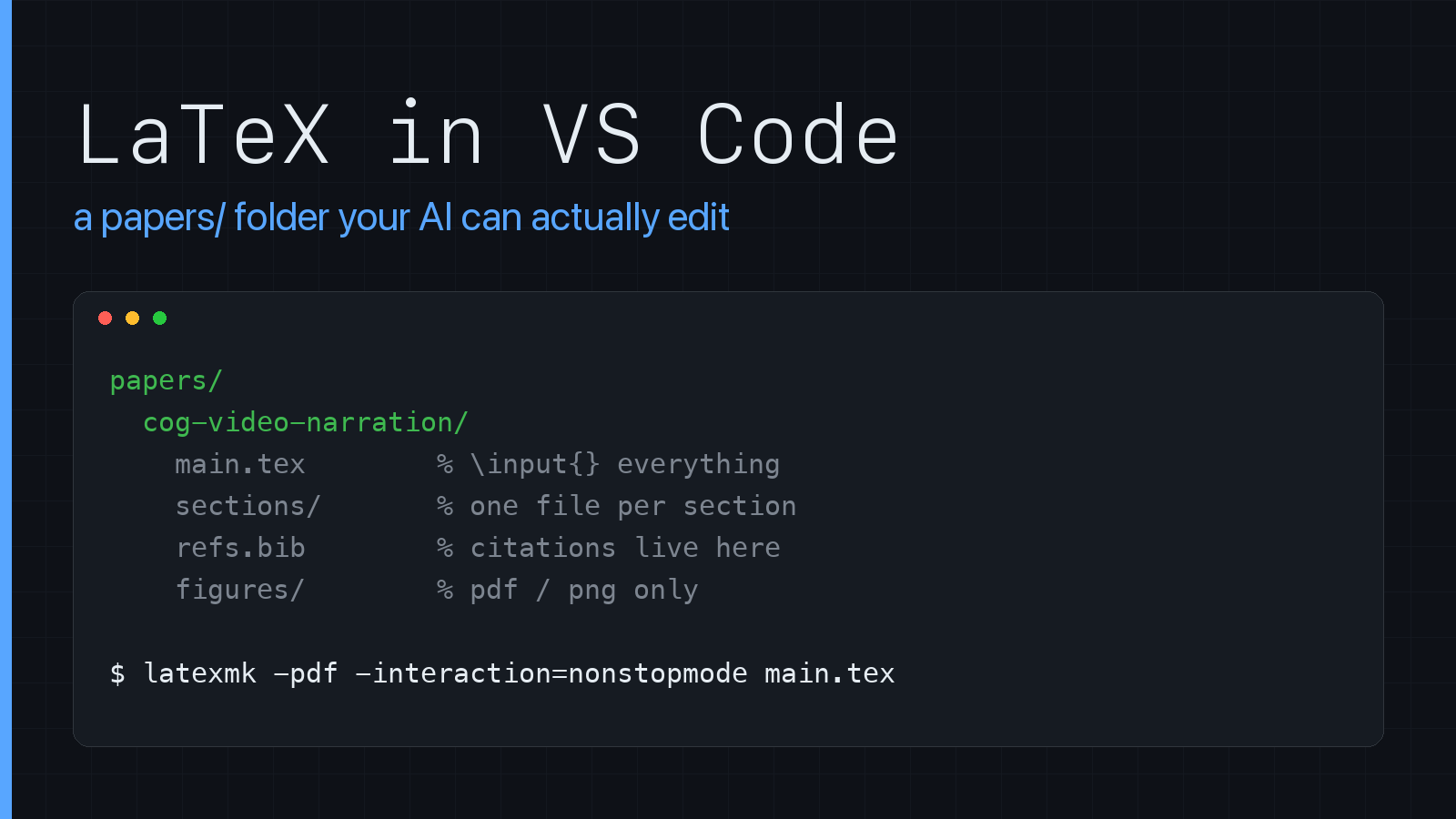
Every project gets a papers/ directory at the top level, and every paper (or workshop submission, or rebuttal, or poster) gets its own subfolder inside it:
your-project/
├── src/
├── experiments/
├── papers/
│   └── cog-video-narration/
│       ├── main.tex          # preamble + \input{} of everything else
│       ├── sections/
│       │   ├── 01-intro.tex
│       │   ├── 02-related.tex
│       │   ├── 03-method.tex
│       │   ├── 04-results.tex
│       │   └── 05-conclusion.tex
│       ├── figures/          # pdf/png only, generated by scripts
│       ├── tables/           # generated .tex fragments
│       ├── refs.bib
│       └── .latexmkrc
└── README.md
Two rules make this whole thing work, and they exist entirely for the benefit of the agent:
1. One file per section. An agent asked to “tighten the related work” should open a 60-line file, not a 900-line monolith. Small files mean small context, precise edits, and diffs you can actually read. main.tex holds the preamble and nothing but \input lines:
\documentclass[10pt,twocolumn,letterpaper]{article}
\usepackage{graphicx,booktabs,amsmath,hyperref}
\graphicspath{{figures/}}

\begin{document}
\input{sections/00-abstract}
\input{sections/01-intro}
\input{sections/02-related}
\input{sections/03-method}
\input{sections/04-results}
\input{sections/05-conclusion}
\bibliographystyle{plain}
\bibliography{refs}
\end{document}
2. One sentence per line. No wrapped paragraphs. Each sentence ends with a newline. This is the single highest-leverage habit in the whole workflow — git diff shows you the sentence that changed instead of the paragraph that reflowed, and an agent’s edit to sentence three doesn’t touch sentences one, two, and four. Turn off any formatter that wants to rewrap you.
Install the toolchain
Exactly two things are mandatory: a TeX distribution and one VS Code extension. Everything else is optional.
1. A TeX distribution
This is what actually gives you pdflatex, latexmk, bibtex/biber, and the several thousand packages every conference template quietly assumes you have. VS Code does not ship any of it.
# macOS — the one to get
brew install --cask mactex-no-gui

# Ubuntu / Debian
sudo apt install texlive-full latexmk biber
MacTeX is a ~5GB download. The -no-gui variant skips the bundled TeXShop / BibDesk / LaTeXiT apps you’re never going to open — it’s the same TeX underneath. Drop the suffix if you want the full bundle.
The installer adds /Library/TeX/texbin to your PATH, which means you need a new terminal window before anything shows up. Verify:
which pdflatex latexmk biber
If you genuinely can’t spare the disk, BasicTeX is ~100MB and you install packages on demand:
brew install --cask basictex
sudo tlmgr update --self
sudo tlmgr install latexmk biber biblatex collection-fontsrecommended
The tradeoff is real, though: every template that wants a package you don’t have becomes another sudo tlmgr install, and that always happens at 2am the night of the deadline. Disk is cheaper than that. Get MacTeX.
2. The VS Code extension
One extension: LaTeX Workshop (James-Yu.latex-workshop). It brings the build loop, the PDF preview, SyncTeX, and IntelliSense for citations and refs. There is no second extension you need.
Install it from the Extensions sidebar (Shift+Cmd+X, search “LaTeX Workshop”), or from the terminal:
code --install-extension James-Yu.latex-workshop
If code isn’t a command on your machine — it isn’t by default on macOS — open the Command Palette (Shift+Cmd+P) and run Shell Command: Install ‘code’ command in PATH first.
3. Nice to have, not required
- LTeX (
valentjn.vscode-ltex) — grammar and spellcheck that understands LaTeX markup, so it doesn’t flag every\citeas a typo. - Zotero + the Better BibTeX plugin — auto-exports
refs.bibso citation keys and DOIs come from a real database instead of your memory. This pairs directly with the “never invent a citation” rule below. - Skim (
brew install --cask skim) — an external PDF viewer with slightly better SyncTeX behaviour than the in-editor tab. Only bother if the built-in viewer starts annoying you. latexindent— already ships with MacTeX. Useful on demand, but leave it off format-on-save: it rewraps paragraphs and destroys one-sentence-per-line.pygments(pip install pygments) — only needed if your template usesmintedfor code listings.matplotlib— for the figure pipeline at the end of this post. Save as.pdf, not.png: vector figures don’t pixelate in print.
So the whole minimum path is two commands and a new terminal in between:
brew install --cask mactex-no-gui
# open a new terminal window, then:
code --install-extension James-Yu.latex-workshop
The VS Code config
VS Code keeps settings in two places, and the distinction matters here. User settings live in your home directory and apply to every project you ever open — that’s where your theme and font size belong. Workspace settings live in .vscode/settings.json inside the repo, get committed to git, and override user settings whenever that folder is open.
The LaTeX config belongs in the workspace one. It’s build configuration for this paper — where the .aux files go, which recipe compiles it — not a statement about how you personally like editors. Put it in the repo and a coauthor clones, opens the folder, hits build, and it works with no setup instructions. Your unrelated projects also don’t inherit an autobuild that fires on every save.
“Repo root” means the top of the project, next to .git/:
your-project/
├── .git/
├── .vscode/
│   └── settings.json     ← this file
├── papers/
└── src/
Create the folder if it doesn’t exist (mkdir -p .vscode), and put this in it:
{
  "latex-workshop.latex.outDir": "%DIR%/build",
  "latex-workshop.latex.autoBuild.run": "onFileChange",
  "latex-workshop.view.pdf.viewer": "tab",
  "latex-workshop.latex.autoClean.run": "onBuilt",
  "latex-workshop.message.log.show": false,

  "latex-workshop.latex.recipes": [
    { "name": "latexmk", "tools": ["latexmk"] }
  ],
  "latex-workshop.latex.tools": [
    {
      "name": "latexmk",
      "command": "latexmk",
      "args": [
        "-pdf",
        "-synctex=1",
        "-interaction=nonstopmode",
        "-file-line-error",
        "-outdir=%OUTDIR%",
        "%DOC%"
      ]
    }
  ],

  "[latex]": {
    "editor.wordWrap": "on",
    "editor.formatOnSave": false,
    "editor.quickSuggestions": { "other": true, "comments": false, "strings": true }
  },
  "files.exclude": {
    "**/build": true
  }
}
The parts that matter:
outDir: build— every.aux,.log,.fls,.bbllands in one throwaway directory. Your paper folder stays readable, and the agent never has to wonder whethermain.auxis something it should edit. (It isn’t.)latexmkas the only recipe — it figures out how many passes it needs and when to run BibTeX. Do not hand-roll a four-step pdflatex/bibtex/pdflatex/pdflatex recipe in 2026.-interaction=nonstopmode -file-line-error— errors come out asfile:line: message, which is exactly the format both you and an agent can jump to.editor.wordWrap: onwithformatOnSave: off— long lines look wrapped without anyone actually inserting newlines. This is how you keep one-sentence-per-line livable.- SyncTeX is the underrated one: Cmd+click in the PDF jumps to the source line, and Cmd+Alt+J goes the other way. Once you have it you stop scrolling.
A .latexmkrc next to main.tex makes the same build work from the terminal and from CI:
$pdf_mode = 1;
$pdflatex = 'pdflatex -synctex=1 -interaction=nonstopmode -file-line-error %O %S';
$out_dir = 'build';
$clean_ext = 'bbl nav out snm synctex.gz';
Making it safe for the agent
Once the paper is in the repo, the agent will happily edit it — which is the whole point and also the thing that needs guardrails. Three of them.
Give it a compile command it can run. The single most useful thing you can hand a coding agent is a way to check its own work. LaTeX has one, and it’s a real test — undefined references, missing citations, and broken macros all fail loudly:
cd papers/cog-video-narration && latexmk -pdf -interaction=nonstopmode main.tex
If that exits non-zero, the edit was wrong. Say so explicitly in your project instructions so the agent runs it after every change instead of declaring victory on a file it never compiled.
Write the rules down where the agent reads them. A CLAUDE.md (or AGENTS.md, or your tool’s equivalent) inside papers/:
# papers/CLAUDE.md

- One sentence per line. Never rewrap paragraphs.
- Never edit files in build/ — they are generated.
- Never edit figures/ or tables/ directly; they come from scripts in ../../src.
- New citations go in refs.bib with a key of firstauthor+year+keyword.
  Do not invent DOIs, page numbers, or authors. If a reference is not
  already in refs.bib, ask before adding it.
- Do not touch the preamble in main.tex without asking.
- After any edit: `latexmk -pdf -interaction=nonstopmode main.tex` must exit 0.
That “do not invent citations” line is not optional. Fabricated references are the one failure mode of AI-assisted paper writing that can genuinely embarrass you in review, and it’s the one you’re least likely to catch by skimming. Every \cite key gets checked against a real paper by a human — you — before submission. No exceptions.
Keep build artifacts out of git so diffs stay reviewable:
# papers/.gitignore
build/
*.aux
*.bbl
*.blg
*.fdb_latexmk
*.fls
*.log
*.out
*.synctex.gz
Commit the PDF only when you tag a submission. A binary that changes on every keystroke is noise in every diff you’ll ever read.
The part that makes it worth it
Because the paper now lives beside the code, figures and tables stop being screenshots and start being build outputs. A script in src/ writes papers/<name>/figures/ablation.pdf and papers/<name>/tables/results.tex; the paper does \input{tables/results} and never hardcodes a number. Rerun the experiment, rebuild the PDF, and Table 2 is correct by construction.
That’s the actual win. Not the syntax highlighting, not the autocomplete — the fact that the paper and the thing the paper describes can no longer silently drift apart. And once the whole paper is plain text in a repo with a compile command, an agent can do the tedious 80%: reformatting a table to the template’s column spec, chasing down an undefined reference, converting a section to the other venue’s style file, tightening a paragraph that’s 40 words over the limit.
The other 20% — the argument, the claims, the honesty about what the numbers show — is still yours. It was always going to be.
What’s in your papers/ folder?