
LinkedIn Message Archiver — Chrome Extension
LinkedIn Message Archiver is a Chrome extension that adds a one-click Archive button directly to each conversation row in the LinkedIn Messaging inbox. Instead of opening every thread, navigating the overflow menu, and clicking Archive manually, you can archive any thread in a single click — right from the inbox list.
The Problem
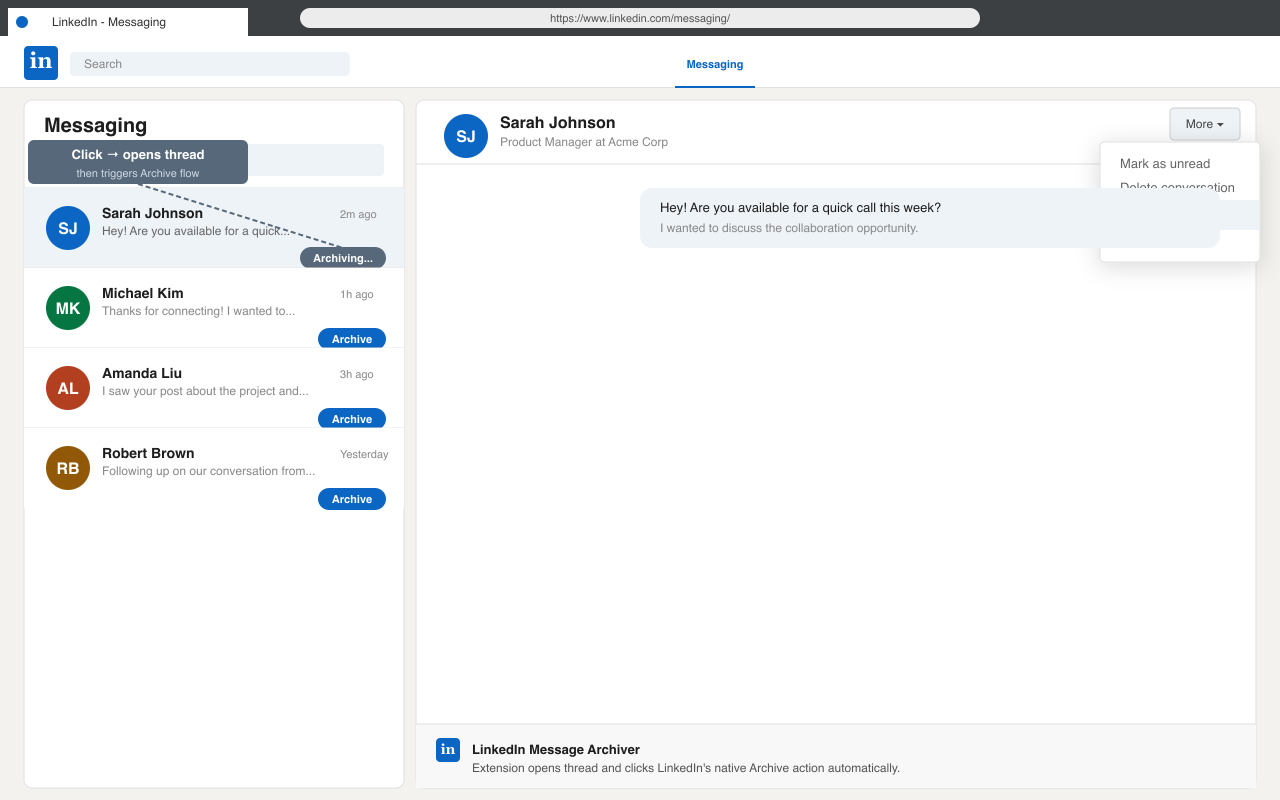
LinkedIn’s built-in archive flow requires three steps for every thread: open the conversation, find the More menu, then click Archive. When you have dozens of threads to clean up, this adds up fast. There is no bulk-archive option and no keyboard shortcut.
Features
- Injects an Archive button on every visible conversation row in LinkedIn Messaging
- Works with LinkedIn’s single-page navigation and lazily-loaded conversation lists
- Automates LinkedIn’s own native More → Archive flow — no unofficial API calls
- No external server, no data collection — all logic runs locally in your browser
How It Works
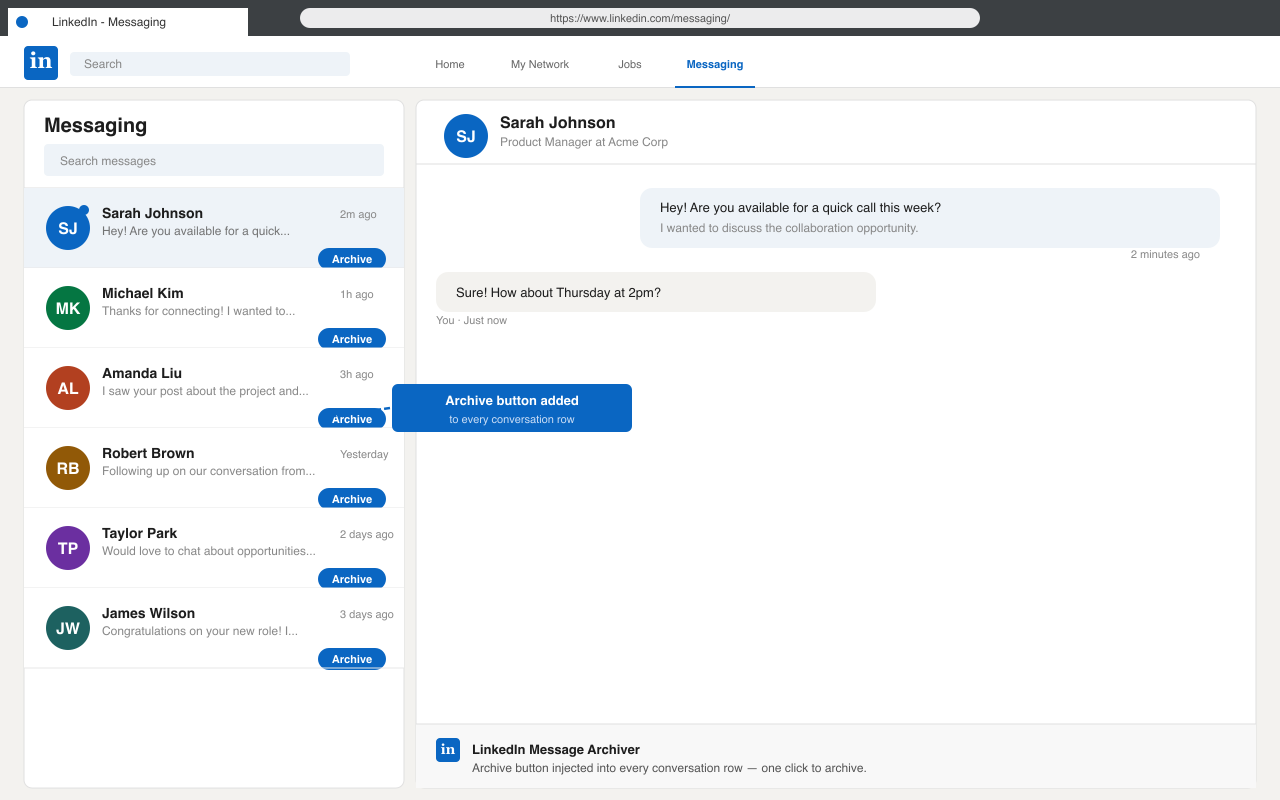
The content script observes the inbox list for conversation rows and pins a small Archive button to each one. When clicked, the extension opens that conversation, locates LinkedIn’s native overflow menu, and triggers the Archive action programmatically.
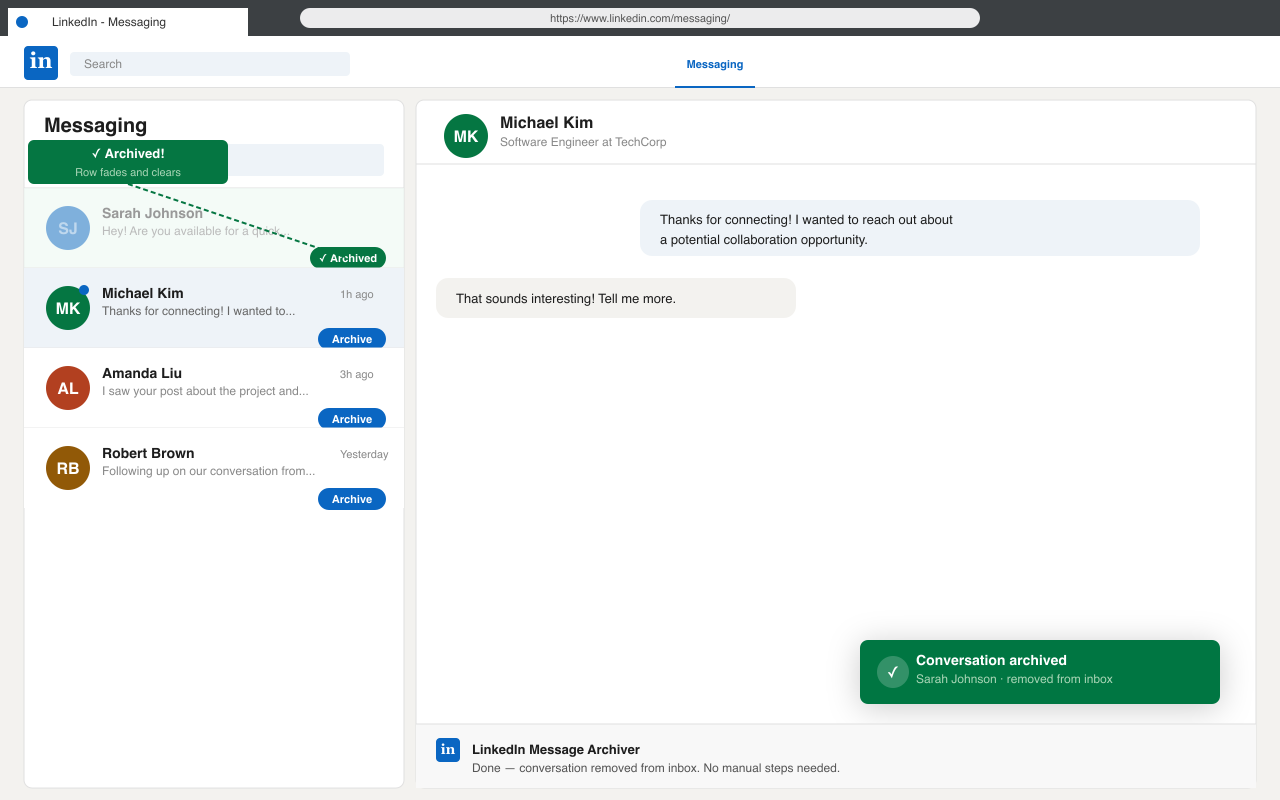
Because it drives LinkedIn’s own UI controls, the archive operation is identical to doing it by hand — just faster. The thread disappears from the inbox immediately, exactly as it would with a manual archive.
Privacy
The extension requests only the permissions it needs: access to linkedin.com pages, plus tabs, scripting, and webNavigation to inject the content script into already-open LinkedIn tabs and respond to client-side navigation. No user data is transmitted to any external server.