
Wash Watch
I built an app so I’d stop walking downstairs to check the laundry
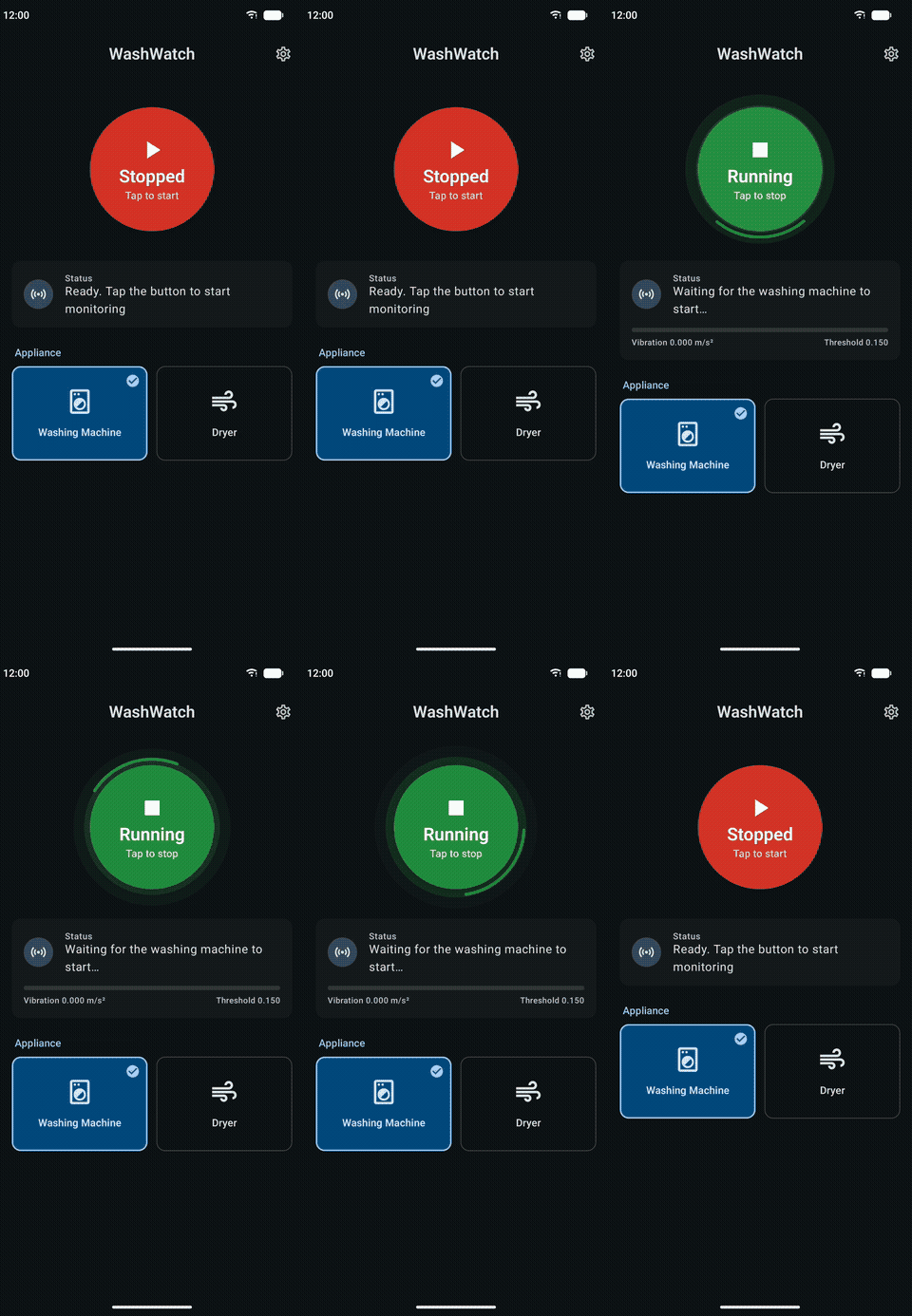
In every apartment I’ve lived in, the washing machine has been on the ground floor, and I never am. So I’d either guess the cycle time and go down too early, or forget and leave wet clothes sitting in the machine for hours.
So I built WashWatch. A spare Android phone sits on the washer, feels the vibration, and my everyday phone buzzes when the cycle finishes. No smart plug, no cloud account, no extra hardware. Just a spare phone and some double-sided tape.
On a slow day, a few minutes either way doesn’t matter. It matters most when time is tight and I’m trying to optimize the day. If I know the exact moment the wash finishes, I can move it to the dryer right away and plan around it, instead of padding my schedule to cover my guess.
Could I just ask ChatGPT how long a wash takes? Sure, and it’d give me a decent estimate. But an estimate is still a guess, and guessing is exactly the problem. A chatbot can reason about the world, but it can’t feel my washer stop spinning. WashWatch measures the real vibration, so it catches the actual end of the cycle, including the long soak and drain pauses and loads that run longer than expected.
One app, two modes
Version 1.0 shipped as two separate apps. From v1.1.0 it’s a single app: install WashWatch on both phones, and on first launch it asks where the phone is.
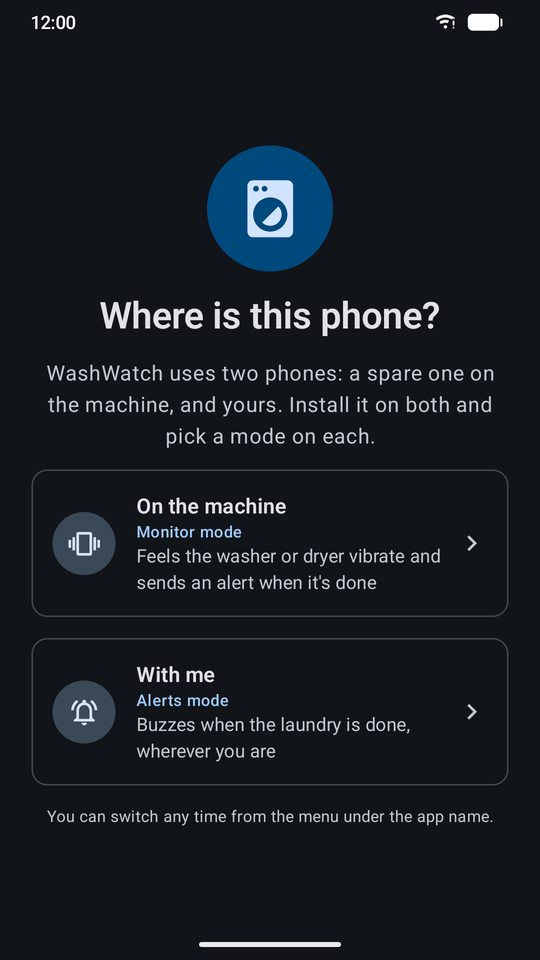
- On the machine (Monitor mode): the spare phone on the washer or dryer reads the accelerometer, works out when a cycle starts and finishes, and publishes an alert.
- With me (Alerts mode): your everyday phone listens for those alerts and shows them as notifications.
The two phones talk through a private, randomly named ntfy.sh topic. You can switch modes any time from the menu at the top of the screen, and switching doesn’t interrupt anything: a running monitor keeps monitoring and a paired phone keeps listening.
How detection works
- Calibrate. With the machine off, it measures background vibration for a few seconds and sets the trigger threshold at a multiple of the peak it sees: 3× by default, adjustable from 1.5× to 10× (lower is more sensitive).
- Start. Once RMS vibration (over a ~1.5 s window) stays above the threshold for 10 seconds, the cycle counts as started.
- Finish. Once the machine has been still for a quiet period (3 minutes for a washer, 1 minute for a dryer, both configurable), the cycle counts as done. That window rides out the mid-cycle pauses when the drum stops to soak or drain.
- Not started? If nothing happens within 3 minutes of starting monitoring, you get a “did you press start?” nudge.
The “done” alert tells you how long the cycle ran.
Features
- Washing machine and dryer profiles, each with its own sensitivity and quiet period
- One-tap calibration with the machine off
- Pair your phone by scanning a QR code
- Loud “done” alerts, quiet “started” alerts. Pick the “done” sound (chime, alarm, ringtone or silent), vibration, or an alarm-style mode that keeps ringing until you dismiss it
- A running-cycle timer that shows how long the last cycle took and roughly when this one will finish
- Alert history that folds each cycle into one row (start, finish, duration), grouped by day
- Alerts survive dropped connections: after a reconnect or reboot, missed alerts are fetched and duplicates skipped
- Works without Google Play Services
- Light and dark themes (dark by default)
Privacy
No account, no Firebase, no ads or analytics. The host generates a random 16-character ntfy.sh topic, and that name is the only secret. Alerts carry only the appliance name, the event and the cycle duration, and the accelerometer readings never leave the phone on the machine. If you think the topic has leaked, tap New code and re-pair.
Try it
It’s open source. Grab the source and the prebuilt APK from GitHub (latest release: v1.1.0). Install the same APK on both phones, pick On the machine on the spare one and With me on yours, scan the QR code to pair, and stay upstairs.
Upgrading from v1.0? v1.1.0 is signed with a new release key, so uninstall v1.0 first. Once your phone is re-paired in Alerts mode, you can remove the old WashWatch Alerts app.