
Analyzing My Own LinkedIn History with Local LLMs
I built a small tool to turn my LinkedIn data export into something I could actually read: charts, word clouds, and LLM-driven topic analysis of everything I’ve ever posted — all running locally, with no data leaving my machine.
Code: github.com/mathewvarghesemanu/linkedin-data-export-analyzer
The idea
LinkedIn lets you download a complete archive of your account data — every post, reaction, connection, and message as a pile of CSV files. It’s a goldmine, but raw CSVs tell you nothing. I wanted to see the shape of my own posting history: what I write about, how often, and how my voice has changed over time.
So I wrote a Streamlit web app that ingests the export and analyzes it using a local LLM through Ollama. The privacy angle mattered to me: your post history is personal, so nothing gets sent to a cloud API — the model runs on your own hardware.
What it does
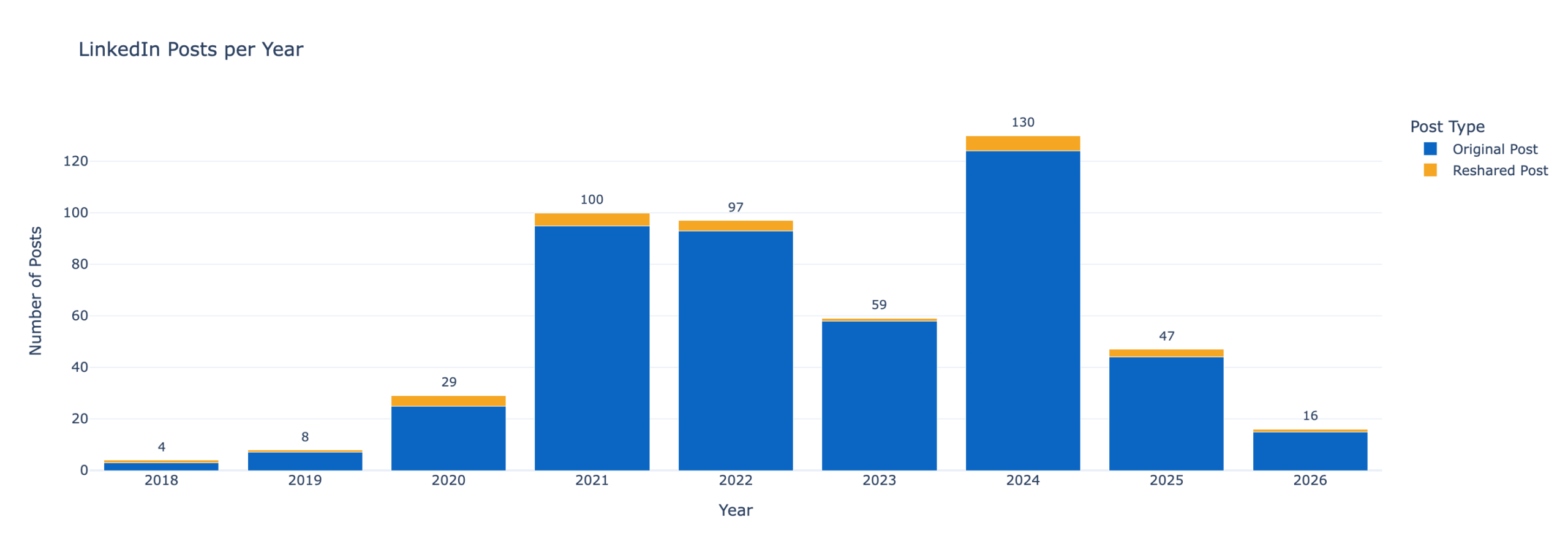
- Posting cadence — monthly and yearly stacked bar charts, split by original posts vs. reshares.
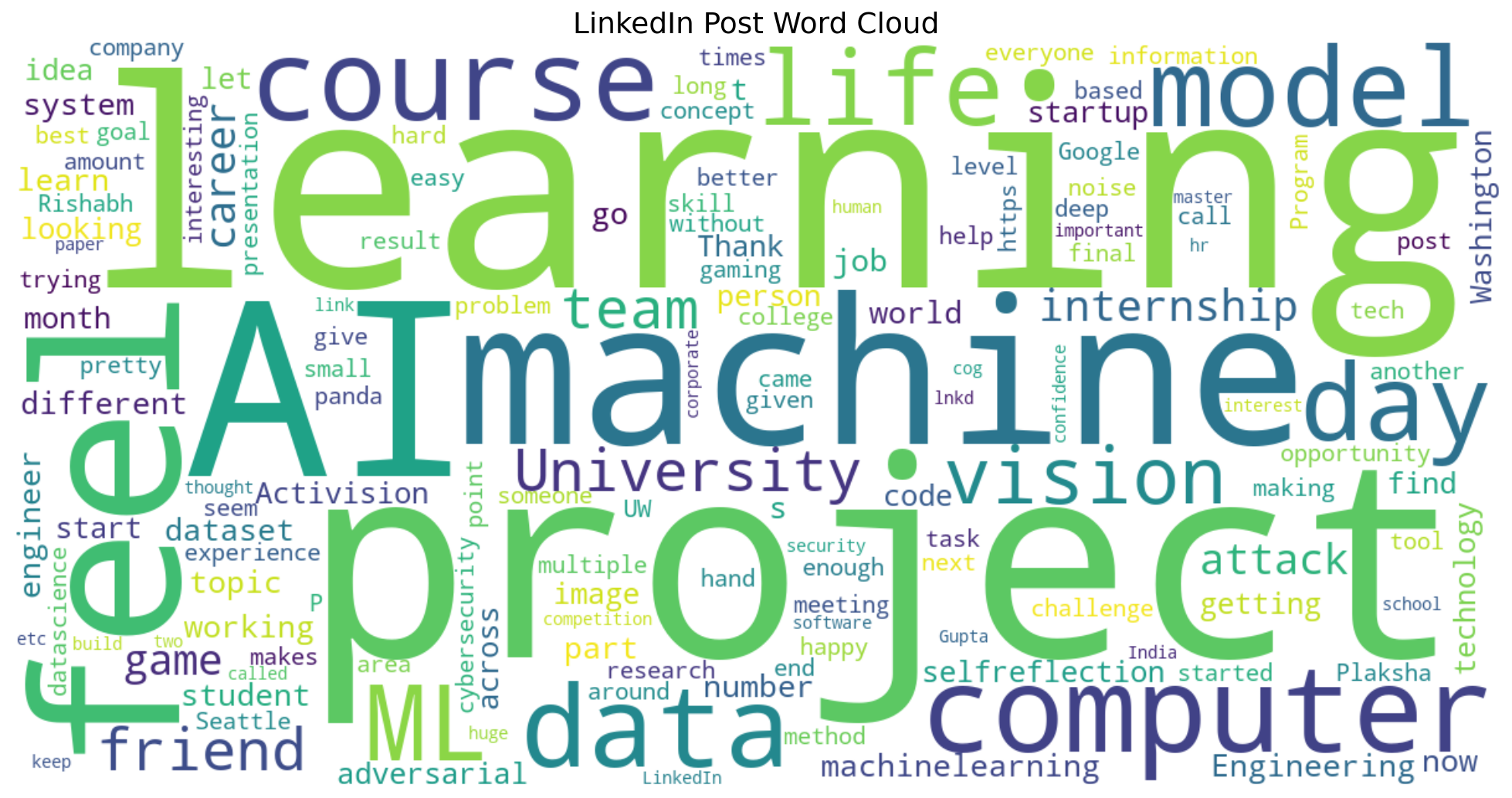
- Word clouds — a frequency map of everything I’ve written, plus a second cloud that uses NLTK part-of-speech tagging to surface only the technical terms (nouns and proper nouns).
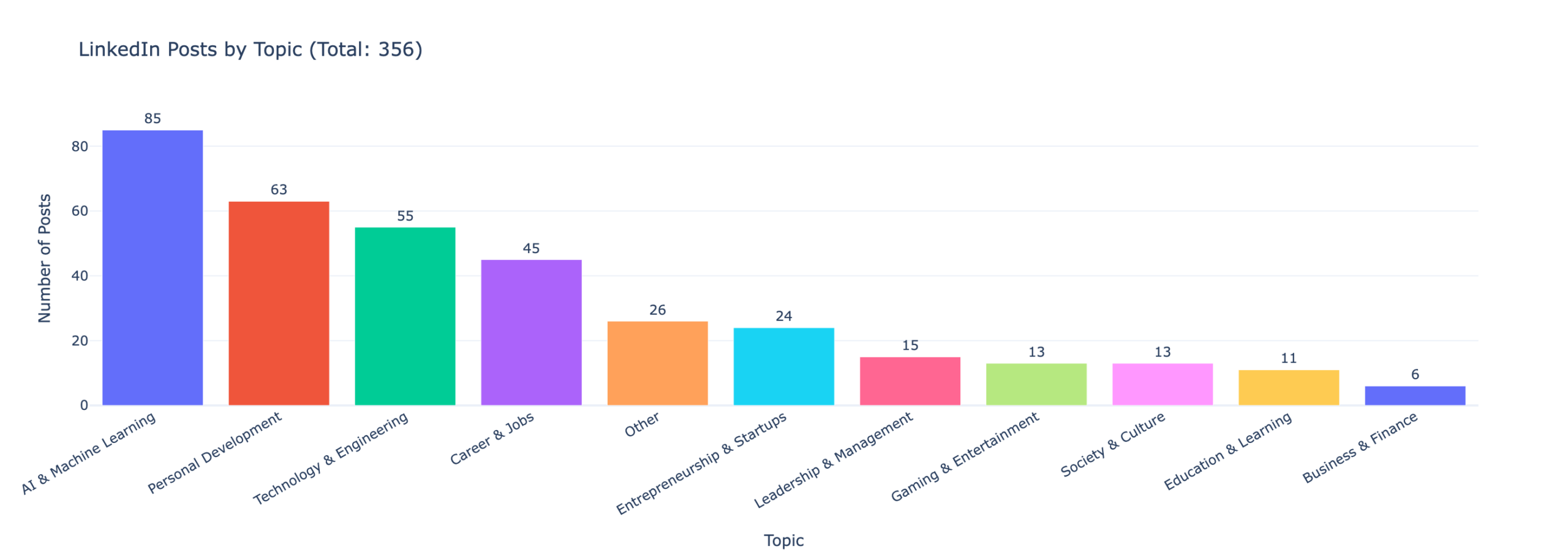
- Topic classification — every post is bucketed into one of 11 configurable topics by the LLM.
- Company mentions — the top 30 organizations I’ve referenced, extracted automatically.
The LLM passes are the slow part, so results are cached per user — the first run classifies everything, and every load after that is instant.
Profiling my writing voice
The piece I’m most fond of is a notebook that profiles how I write, not just what about. It computes quantitative style metrics — post length, sentence rhythm, paragraph structure, emoji and hashtag habits, how often I open with a question, vocabulary richness — visualizes the distributions, and then feeds all of it to the local model to synthesize a reusable style guide. The output is a description of my own writing voice I can hand to an AI to draft in my style.
Stack
Python, Streamlit for the UI, Ollama for local inference (works with any model — gemma, qwen, llama, whatever you pull), NLTK for text processing, and uv for package management. Setup is essentially uv sync, start Ollama, and uv run streamlit run webapp.py.
The full setup instructions, including how to request your LinkedIn archive, are in the README on GitHub:
https://github.com/mathewvarghesemanu/linkedin-data-export-analyzer